Schema Markup for Websites and How to Add and Test It
Schema markup is structured code that tells search engines what a page is about, for example that it's an article, a product, or a local business. Google recommends the JSON-LD format. The code makes a page eligible for special treatment in search results, but eligible isn't the same as guaranteed.
Plenty of older articles still promise FAQ boxes and HowTo steps in search. That's out of date. Google's documentation updates say FAQ rich results stopped showing in Search on May 7, 2026. The gallery of structured data Google now supports lists 25 types, was last updated on October 16, 2026, and includes neither FAQ nor HowTo.
What Schema Markup Does for SEO
Schema markup helps Google understand a page and makes it eligible for a rich result. Google sets three conditions: every required property is filled in, the general and feature-specific guidelines are followed, and the data you mark up is visible to users.
Most of the vocabulary comes from schema.org, but how it behaves in search follows Google's documentation. Markup written in the old data-vocabulary.org style no longer qualifies for rich results. Google's pages also mention case studies that reported higher click-through rates. Those aren't a promise for your site.
Schema Types Worth Adding
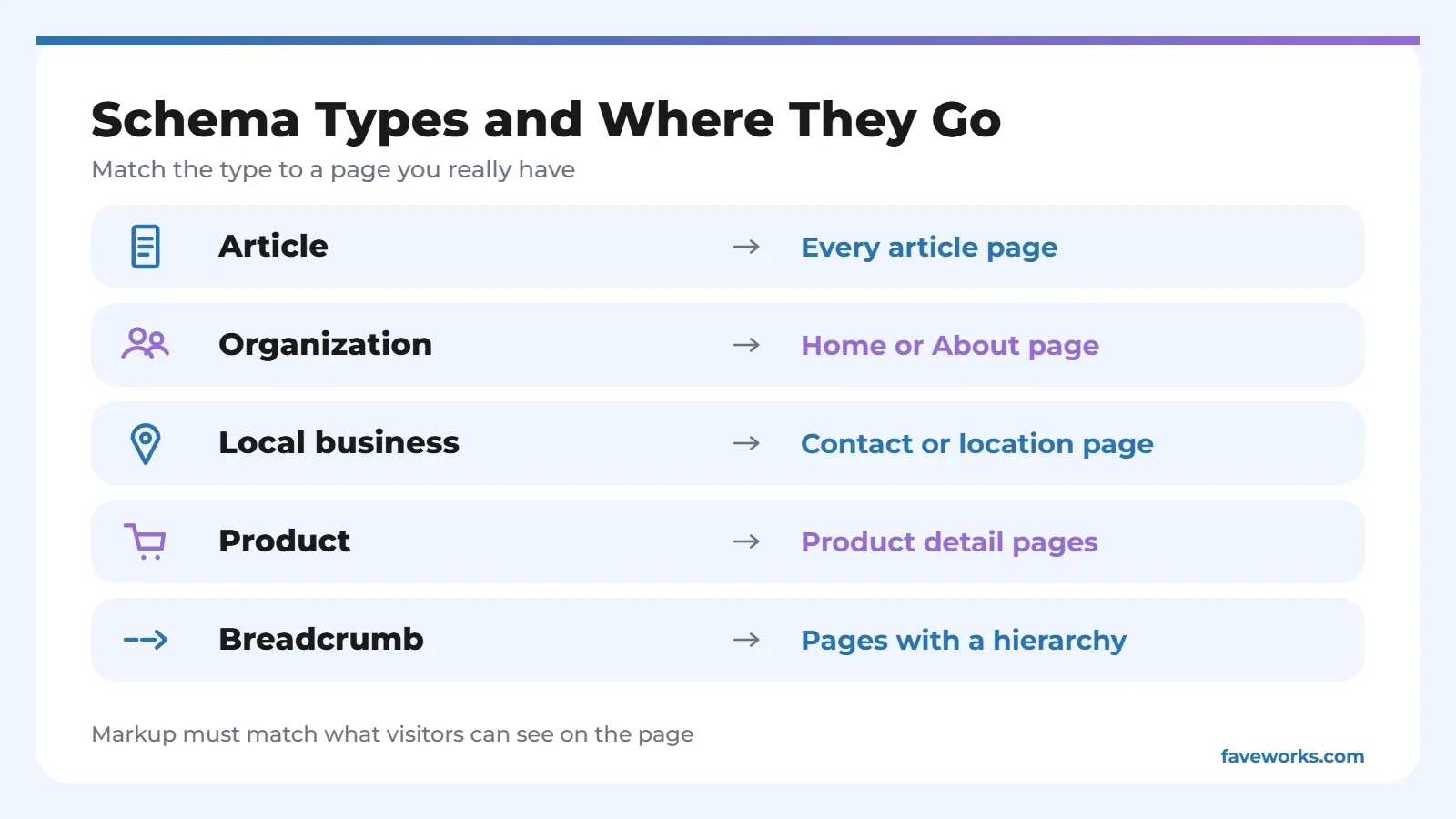
Start with types that match pages you actually have. Pasting every type onto every page backfires, because the data has to reflect visible content.
| Type | Best for | Placed on |
|---|---|---|
| Article | Blogs, news, and sports | Each article page |
| Organization | Company identity, logo, and official profiles | Home or About page |
| Local business | Businesses with a physical address and opening hours | Contact or location page |
| Product | Online stores with price and stock | Product detail pages |
| Breadcrumb | The navigation path shown in results | Pages with a hierarchy, like category then article |
Not every type stands alone. Carousel, for one, can only be used with Recipe, Course list, Restaurant, or Movie. Before you copy an example from some blog, check that the type is still in Google's gallery and what conditions apply.
How to Add Schema Markup
Write or generate JSON-LD, then place it on the page it describes. Google supports JSON-LD, Microdata, and RDFa, but recommends JSON-LD because it's the easiest to maintain and still works when injected through JavaScript or a CMS.
Through a plugin or CMS settings
On WordPress, Wix, or Shopify, Google notes you may need a settings page or plugin rather than editing HTML. Pick one tool to manage your schema markup. Two plugins that both output Article markup can create duplicate, conflicting data.
Writing JSON-LD by hand
An article looks like this:
<script type="application/ld+json">
{
  "@context": "https://schema.org",
  "@type": "Article",
  "headline": "Your Article Title",
  "datePublished": "2026-10-24T08:00:00+07:00",
  "dateModified": "2026-10-24T08:00:00+07:00",
  "author": { "@type": "Person", "name": "Author Name" },
  "image": [
    "https://example.com/image-16x9.jpg",
    "https://example.com/image-4x3.jpg",
    "https://example.com/image-1x1.jpg"
  ]
}
</script>
For Article, Google says no property is required, but it recommends author, datePublished, dateModified, headline, and image. Write dates in full ISO 8601 with a time zone, since without one Google falls back to Googlebot's. Put only the person's name in author.name, with no job title or "written by". Images should be crawlable and available in 16x9, 4x3, and 1x1.
How to Test Schema Markup
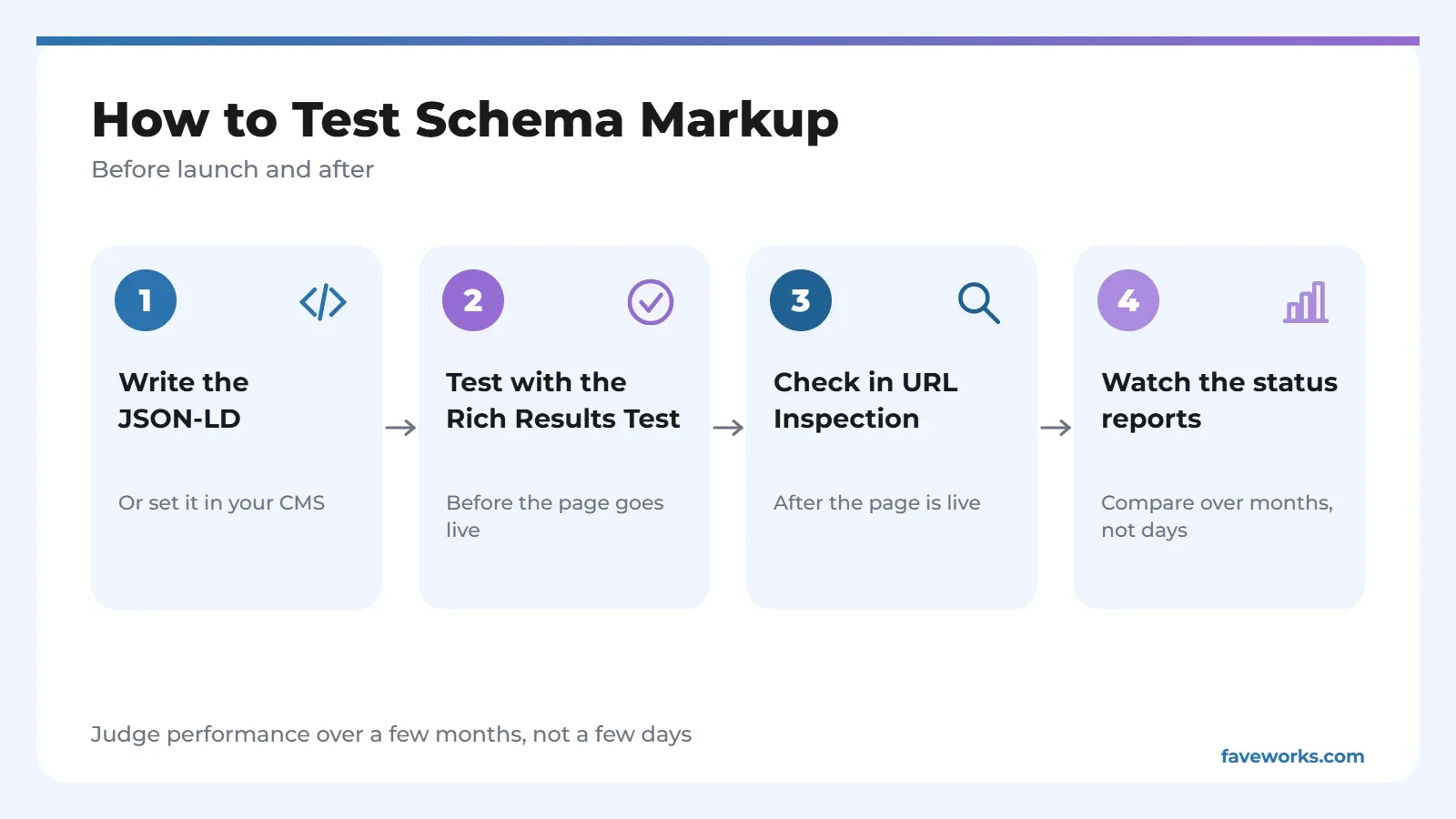
Test before and after launch. Before, use the Rich Results Test to validate the markup and preview some features.
After launch, URL Inspection in Search Console confirms Google found the structured data on that page, and the rich result status reports track the whole site. To judge impact, compare pages with and without markup over several months in the Performance report, not over a few days.
When You Can Skip Schema Markup
Don't add schema markup for a type your page has no counterpart for, and don't add it if you can't keep it accurate. Google's documentation values a few correct properties over many stale ones.
Pages whose content changes often, like prices or opening hours, need a clear update process. No process yet? Hold off on that part and add the stable pieces first, such as Article and Organization.
Mistakes That Get Markup Ignored
The most common cause is markup that describes something visitors can't see. Google's documentation forbids hidden data, fake reviews, and empty pages built only to hold markup. Deliberate violations can trigger a manual action. According to Google, that action removes rich result eligibility but doesn't change how the page ranks in regular web search.
Templates cause the quieter failures. Markup can break after a theme change or a change in how pages are served, and nobody notices for weeks. Check the rich result status report on a schedule. Schema markup isn't something you set and forget.
Schema Markup for a New Blog: Start With Two Types
A blog that's just getting going can begin with Article on every post and Organization on the home page. Add Breadcrumb if you have category hierarchy. The rest can wait until a page actually fits.
There's a practical reason. Types with no matching page only add upkeep, and popular features can be retired, as FAQ was, while Article remains in Google's gallery. To see how page structure affects answer boxes, read about featured snippets. Meanwhile, an XML sitemap helps Google find the pages you've marked up. If you'd like the setup handled together with a technical audit, see our SEO services.
FAQ
Does schema markup improve rankings?
Google's introductory documentation doesn't promise a ranking boost. The purpose of schema markup is to help Google understand the page and make it eligible for special display.
Which is better, JSON-LD or Microdata?
Google accepts both, plus RDFa, as long as the markup is valid. It does recommend JSON-LD because it's usually the easiest to maintain.
Is FAQ schema still useful?
Not for rich results. Google's documentation says that feature stopped showing on May 7, 2026. The documentation doesn't say whether the markup has other value, so don't add it just for a special display.
Do I have to use a plugin?
Not always. If your CMS has no built-in setting, a plugin makes things easier. A site where you can edit templates can paste JSON-LD by hand.
How do I know Google can read my markup?
Use URL Inspection in Search Console to confirm Google found the structured data on the page, then watch the rich result status reports for errors across the site.
References
- Google Search Central, Intro to How Structured Data Markup Works
- Google Search Central, Structured Data Markup that Google Search Supports
- Google Search Central, Learn About Article Schema Markup
- Google Search Central, General Structured Data Guidelines
- Google Search Central, FAQ (FAQPage) structured data documentation updates