XML Sitemaps and How to Build and Submit One to Google

An XML sitemap is a file that lists the URLs you care about so Google can find them sooner. It doesn't guarantee indexing. Google itself calls a submitted sitemap a hint, so it may skip the download or ignore some of the URLs inside.
Still, an XML sitemap pays off most on sites whose new pages rarely get linked from elsewhere. If you've ever written a post, waited, and found nothing in Google, you were probably in that group.
What an XML Sitemap Does and Which Formats Google Reads
The main job of an XML sitemap is telling Google which URLs you want in search results. Google reads three formats and has no favorite among them.
XML is the most flexible because it can carry image, video, news, and alternate-language data. RSS 2.0, Atom 1.0, and mRSS feeds are usually generated by a CMS and list only recent URLs. The simplest is a plain text file ending in .txt, one URL per line and nothing else.
Technical Limits and Rules
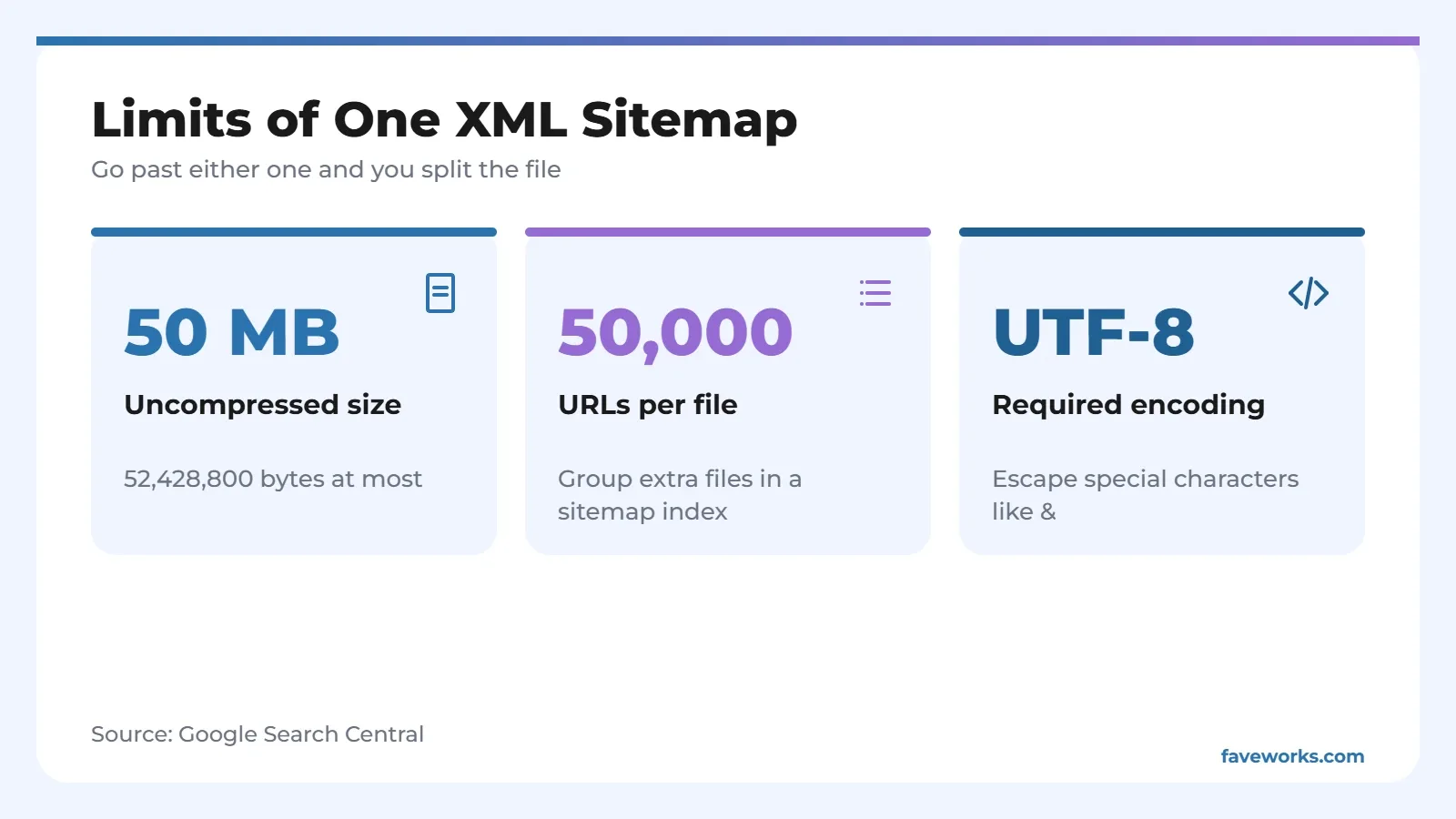
A single XML sitemap can be 50 MB uncompressed and hold 50,000 URLs. Above that, split it into several files and tie them together with a sitemap index.
| Rule | Requirement | Note |
|---|---|---|
| Size | 50 MB (52,428,800 bytes) uncompressed | Anything bigger must be split |
| URL count | 50,000 per file | You can submit several sitemaps and indexes together |
| Encoding | UTF-8 | Escape special characters, so & becomes & |
| URL form | Absolute and complete, with https and domain, under 2,048 characters | Relative URLs won't be crawled as intended |
| Location | Root of the site is recommended | Without Search Console submission, a sitemap covers only URLs under its own directory |
| priority and changefreq | Ignored by Google | Safe to delete and simplify the file |
| lastmod | Used only when consistently accurate | A YYYY-MM-DD date is enough, tied to a meaningful content change |
How to Create an XML Sitemap
Use your CMS's built-in sitemap if it has one. Writing by hand only makes sense for a few dozen URLs, and large sites should generate the file from their own data.
Through a CMS or plugin
Many CMS platforms and SEO plugins produce an XML sitemap automatically and refresh it when you publish. Check whether a file already exists at /sitemap.xml before installing anything, so two sitemaps don't collide.
Writing one by hand for a small site
The simplest valid file looks like this:
<?xml version="1.0" encoding="UTF-8"?>
<urlset xmlns="http://www.sitemaps.org/schemas/sitemap/0.9">
  <url>
    <loc>https://example.com/first-article/</loc>
    <lastmod>2026-10-01</lastmod>
  </url>
</urlset>
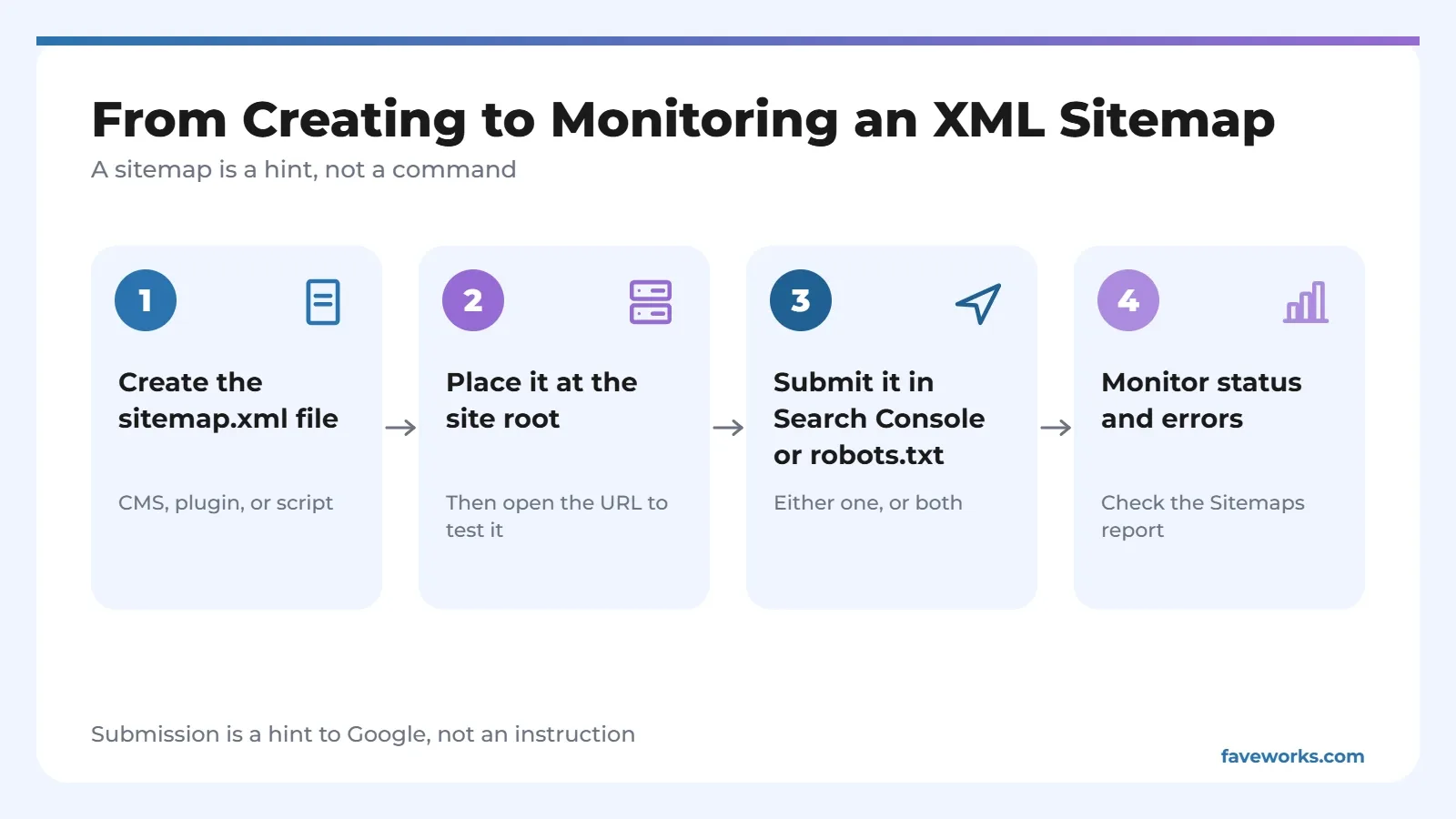
Save it as sitemap.xml at the root, then open the address in a browser to confirm the XML sitemap loads without errors. Only the loc tag is required. Drop lastmod if you can't keep it accurate.
Generating one from data for a large site
A site with thousands of pages should build its XML sitemap with a script that reads the database, split by content type and grouped under a sitemap index. One index can list up to 50,000 sitemaps, but only for the same site. Splitting by content type also shows you which group is misbehaving in Search Console.
XML Sitemaps for Two-Language Sites
If your blog has Indonesian and English versions, the XML sitemap can link each URL to its other-language twin. Google's documentation says XML is the most flexible format for that. Here's the shape:
<url>
  <loc>https://example.com/id/artikel/</loc>
  <xhtml:link rel="alternate" hreflang="id" href="https://example.com/id/artikel/"/>
  <xhtml:link rel="alternate" hreflang="en" href="https://example.com/en/article/"/>
</url>
Every version should list itself and all the others, so the relationship reads both ways. One XML sitemap can serve both languages as long as the URL count stays under the limit.
How to Submit an XML Sitemap to Google
Google's documentation lists three ways, and you can combine them.
- Submit it in the Sitemaps report in Search Console, which also shows read status and processing errors.
- Add a Sitemap line to robots.txt with the full URL. The line can repeat for several sitemaps.
- Send it through the Search Console API if you manage many sites.
For a sitemap that spans other domains, verify ownership of every site in Search Console. Or keep each site's sitemap on its own domain and point to it from that site's robots.txt.
Mistakes That Make a Sitemap Useless
List only canonical URLs you actually want shown. A file stuffed with redirects, 404 pages, or noindex pages sends Google mixed signals.
Google asks for canonical URLs, and that's the rule people break most. Another habit: setting lastmod to today's date on every build. The sitemap protocol says the value should be the date the page changed, not the date the file was generated. Because Google trusts lastmod only when it proves accurate, a value that changes constantly will probably be ignored, and you lose the one optional tag that still matters.
What to Watch After You Submit
Open the Sitemaps report a few days later and look for read status and errors. If you've just moved domains or changed your URL structure, update the XML sitemap before anything else, since a stale list pointing at old addresses causes a pile of errors.
Cross-check with other data. Say you submitted 4,800 URLs and only 2,100 are indexed. Don't blame the XML sitemap first. Page quality or near-duplicate content usually matters more, and no sitemap file can fix that.
A sitemap works alongside other signals, like schema markup that clarifies page type and clean structure for a featured snippet. If you'd like all of it checked together, our SEO services start with a technical audit.
FAQ
Does every website need an XML sitemap?
No. Google can discover pages through links, and a submitted sitemap is only an extra hint. Still, an XML sitemap helps new sites and sites with rarely linked pages.
How many sitemaps can I submit?
Google allows several sitemaps and sitemap indexes to be submitted together. Each file is still capped at 50 MB uncompressed and 50,000 URLs.
Should I fill in priority and changefreq?
There's no need. Google ignores both tags. The only one it still uses is lastmod, and only when the values are consistent and prove accurate.
Where should the sitemap live?
At the root of your site, like yoursite.com/sitemap.xml. A sitemap in a subfolder covers only URLs under that folder, unless it's submitted through Search Console.
What's the difference between an XML sitemap and an HTML sitemap?
An XML sitemap is written for search engines, while an HTML sitemap is an ordinary page for visitors. The Google documentation cited here covers only the formats meant for search engines.