Ecommerce SEO for Small Online Stores and How to Structure Products
Ecommerce SEO is the work of arranging categories, product pages, and URLs so Google can find, understand, and index them. What sets it apart from blog SEO is page count. A store has hundreds of near-identical products, color and size variants, and filters that can spawn endless URLs.
So the biggest problems are usually technical, not about keywords. Everything below follows Google's documentation for ecommerce sites, which means no invented numbers and no ranking promises.
Site Structure and Internal Links
Google reads a store's structure through the links between pages. Pages that take fewer clicks to reach, and that get more internal links, look more important to it.
The path is simple: menu to category, category to subcategory, subcategory to product. Each product you want indexed should be linked straight from its category page.
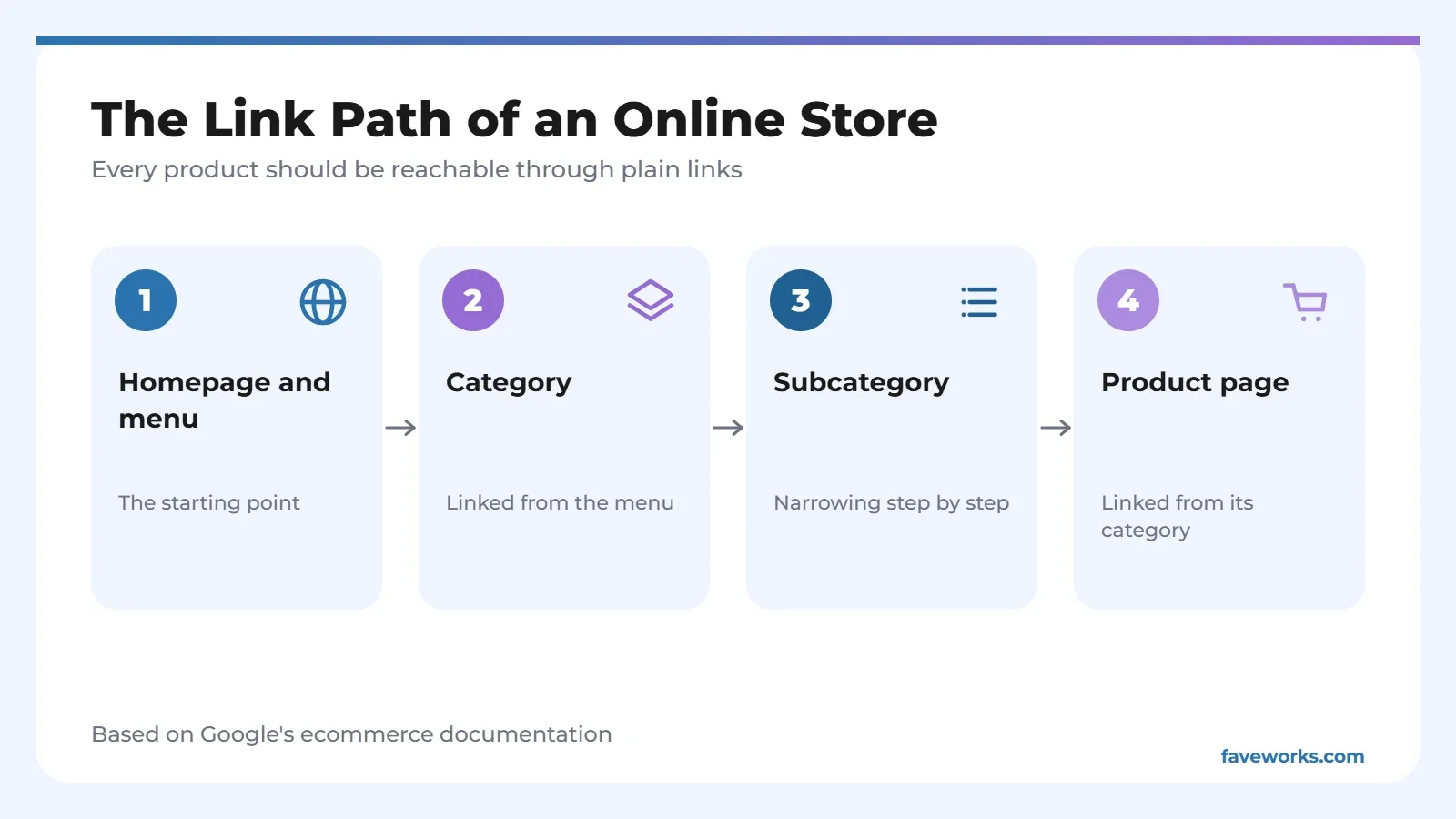
Here's why that matters. Googlebot generally doesn't type queries into a site's search box, so a product reachable only through internal search may never be found. A sitemap or a Google Merchant Center feed can act as a backup, but it doesn't replace links. If you need the basics, see our XML sitemap article.
Use plain a href links for navigation. Links that depend on JavaScript events on other elements might not be detected. Anchor text should be the product name, not "click here."
You can also link best-selling categories or products from the homepage, blog posts, or a newsletter. Google describes that as a signal those pages matter.
| Problem | What it causes | Fix |
|---|---|---|
| Products found only through the search box | Googlebot doesn't run internal searches | Link them from the category page |
| Menus built with JavaScript, no plain links | Links may go undetected | Use a href |
| Empty categories that still open | Pages with no content get indexed | Add noindex, or return a 404 if the category is removed |
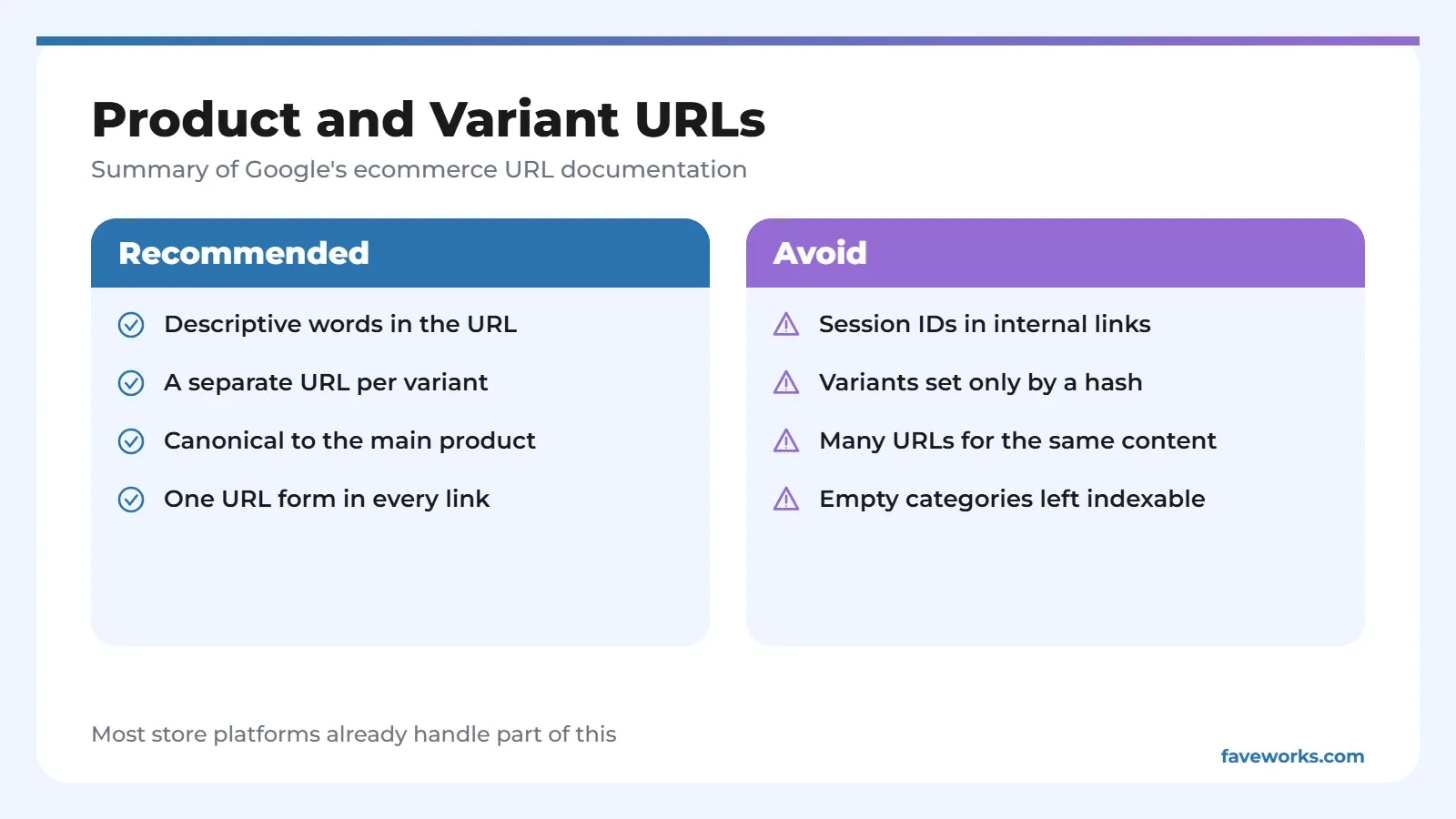
| Internal links with session IDs or tracking codes | Different URLs for the same page | Link to the persistent URL |
URLs, Variants, and Pagination
Ecommerce SEO has one main rule here: cut down the number of URLs that show the same content. Google says pagination is where it sees the most URL mistakes.
Product variants
Give each variant, such as a color and size combination, its own URL. That can be a path segment like /t-shirt/green or a parameter like /t-shirt?color=green. For variant pages, point the canonical to the main product URL. If you use optional parameters, the canonical is the URL without the parameter.
Google also notes that fragment identifiers aren't used in indexing. Two variants separated only by #black and #white may be treated as one page.
Pagination and categories
Every page of paginated results needs a unique URL, in a form like ?page=2. Add a self-referencing canonical to every indexable page and include those pages in your sitemap.
URL names
Words beat numbers. Google's own example prefers /product/black-t-shirt-with-a-white-collar over /product/3243. It adds that URL structure isn't the main way it maps a site, though. Links between pages do more of that work.
Structured Data for Products
Structured data helps Google understand a product page and can enable displays like price, ratings, and availability. Product markup requires name, plus at least one of review, aggregateRating, or offers.
Two kinds of markup get mixed up. Merchant listing markup is for pages where shoppers can buy the product. Product snippet markup is for other product pages, like reviews and aggregators. A store that sells directly should use the first. For the price drop display, Google asks for Offer, not AggregateOffer.
Google also lists BreadcrumbList for page paths, Review, Organization for logo, contact details and return policies, and LocalBusiness for physical stores. Setup is covered in our schema markup article.
Keep the markup identical to what the page shows. A markup price that differs from the visible price only creates trouble.
What Goes on the Product Page
Titles and meta descriptions should be unique per product, and image alt text should describe the photo. That's baseline advice from Google's SEO Starter Guide, and it applies to stores and blogs alike.
Say a store sells running shoes and has 200 products. If 150 of them use the same factory description word for word, Google sees 150 nearly identical pages. That's a made-up example, but the pattern is common when a store uploads a supplier catalog unchanged. Rewrite descriptions for the best sellers first.
Page speed touches stores directly too. It's covered in our Core Web Vitals article.
Where to Start
Run a small audit. Can every product be reached from a category? Do variants have canonicals? Are empty categories handled? Those three checks often do more than buying another tool.
Order the work by how many pages each problem touches. Template-level issues, like canonicals and navigation, come first. Product descriptions follow, starting with the best sellers. Search Console helps you watch indexing problems while fixes roll out, and results take weeks to show, not days.
If you'd like a second pair of eyes, our SEO services include technical audits for online stores.
FAQ
How is ecommerce SEO different from regular SEO?
The principles are the same, but stores add variants, filters, and look-alike product pages. Most of the work sits in link structure and URL handling.
Do online stores have to use structured data?
Generally not, if the goal is just to get pages indexed. But structured data helps Google understand products and can enable displays like price and ratings in results.
Should each variant have its own URL?
Google recommends it, with a canonical pointing to the main product. For variants that differ only by parameter, the canonical points to the URL without it.
What should I do with empty categories?
Add noindex to empty categories that are still reachable. If a category has been removed, return a 404.
How long does ecommerce SEO take to show results?
There's no fixed number. It depends on store size, site age, and how many technical problems get fixed. Track it in Search Console rather than guessing.
References
- Google Search Central, Help Google understand your ecommerce site structure
- Google Search Central, Designing a URL structure for ecommerce sites
- Google Search Central, Include structured data relevant to ecommerce
- Google Search Central, Product snippet structured data
- Google Search Central, SEO Starter Guide
Tags URL structureecommerce SEOproduct pagesproduct structured data