


Schema markup is structured code that helps search engines understand your website content better.
Table of Contents
Have you ever wondered why some Google search results look more attractive with star ratings, product prices, or a list of questions? The answer is schema markup, which is often ignored because it seems too technical, even though it is a valuable asset for improving your digital performance.
Why Does Your Website Really Need Schema Markup?
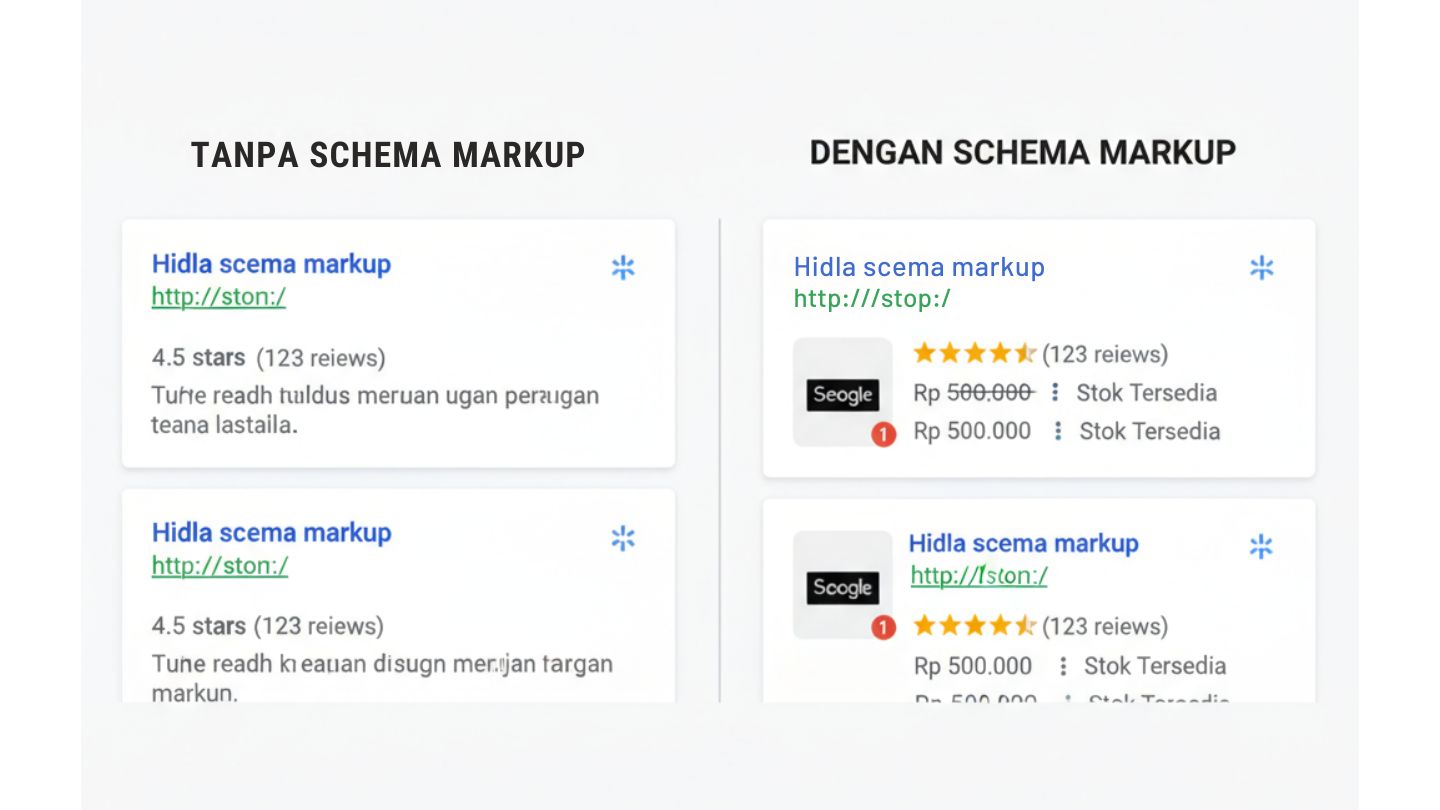
Imagine Google as a very busy librarian. Without schema markup, Google has to read all of your content to understand it. With schema markup, you give an instant summary: “This is a food recipe” or “This is a product review.”
The main benefit is not just looks. When you apply rich snippets, your click-through rate (CTR) rises sharply. Structured data creates a strong context signal for Google’s algorithm to show your content to the right audience.
| Feature | Without Schema Markup | With Schema Markup |
| Visual in SERP | Plain text & description | Star ratings, price, stock, FAQ |
| Bot Understanding | Manual content analysis | Instant data identification |
| CTR (Clicks) | Standard | ✓ Up to 30% higher |
How Does Schema Work in Google’s Eyes?
Schema markup is a semantic vocabulary added to your site’s HTML. The JSON-LD format is the one Google recommends most because it is cleaner and easier to manage, even for non-programmers.
When bots crawl your site, they capture the metadata you embedded. This helps Google build a more accurate knowledge graph about your brand or business on the internet.
The Most Powerful Schema Types for Ranking
Not every schema type fits every page. A blog needs article schema, while a local business needs local business schema to appear in relevant local searches.
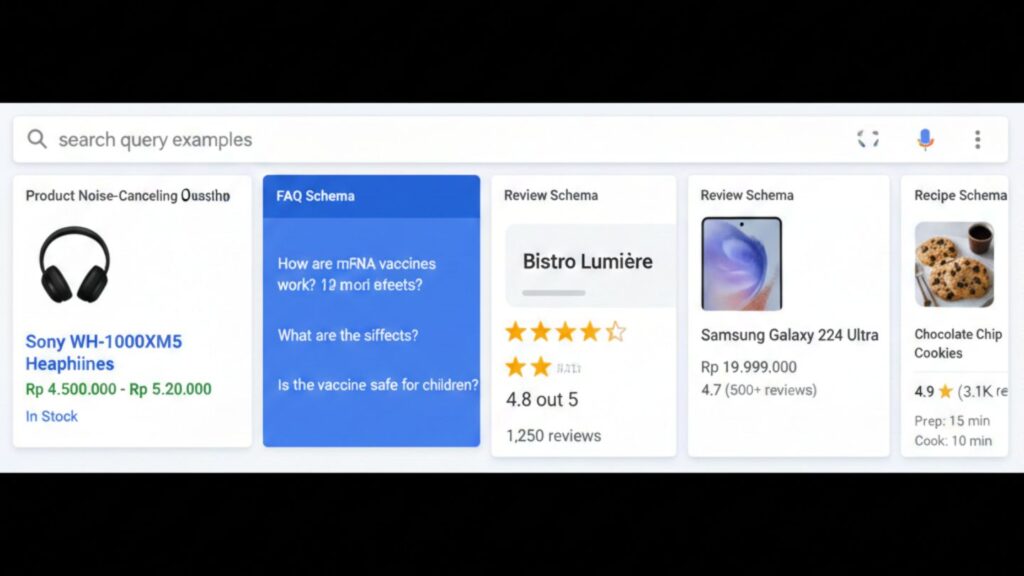
Some of the most popular types:
- Product & Offer: Shows the price and availability of goods
- FAQ: Shows questions and answers directly under the article title
- Review: Gives a star visual effect that builds trust
Warning: Do not try to trick Google with fake structured data (for example, made-up star ratings). This can lead to a manual penalty.
How to Add Schema Without Coding Skills
If you use WordPress, plugins like Rank Math or Yoast SEO already provide automatic features for schema markup. For more precision, use Google Search Console to monitor errors in your code.
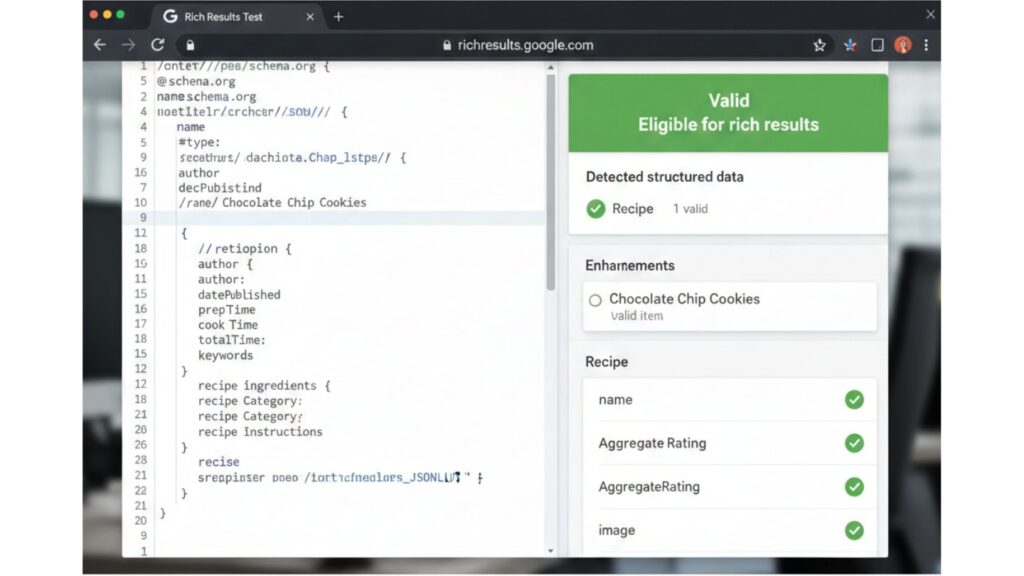
The easiest step: use the Rich Results Test to check whether your code is read correctly. Make sure there are no red warnings so the search engine results page shows perfect information.
| Format | Ease of Implementation | Google Support |
| JSON-LD | ✓ Very easy (recommended) | High |
| Microdata | Medium | Medium |
| RDFa | ✗ Difficult | Low |
Practical Steps to Start Optimizing Today
Start simple: identify the most popular pages on your website, then add the relevant schema. Watch the click chart in Google Search Console start to creep up over a few weeks.
Check your competitors. If they already use rich results, offer more complete and structured data to stay competitive in the audience’s eyes.
Time to Dominate the First Page of Google
Implementing schema markup is a long-term investment. With the growth of voice search, search engines rely heavily on structured data to give instant answers. Master this technique now, or get left behind by competitors who are already “talking” to the algorithm efficiently.
For the official reference, visit Schema.org.
Need help applying this strategy to your website? The Faveworks team is ready to help through our SEO services, with a free initial consultation.
Read Next
References:
- Google Search Central on structured data
- Schema.org full schema hierarchy
- Search Engine Journal structured data guide